
Proof Volunteers Were Actually at the Event
Do you have events too spread out for a coordinator to scan everyone?
Volunteers can attach their phone’s location when they check in or out, and Helper Helper matches it against the event’s venue. A beach cleanup along a mile of shoreline, a park planting spread across the fields, a 5K with volunteers at every water stop – before your admins validate a single hour, they can see whether each volunteer’s location matched the event.
Self-reported service is covered too. A volunteer who records their hours right as they are leaving can attach their location on the same form. Location sharing works alongside the other attendance validation methods, like QR codes, validation codes, and coordinator signatures.
Location Sharing Built Into Check-In
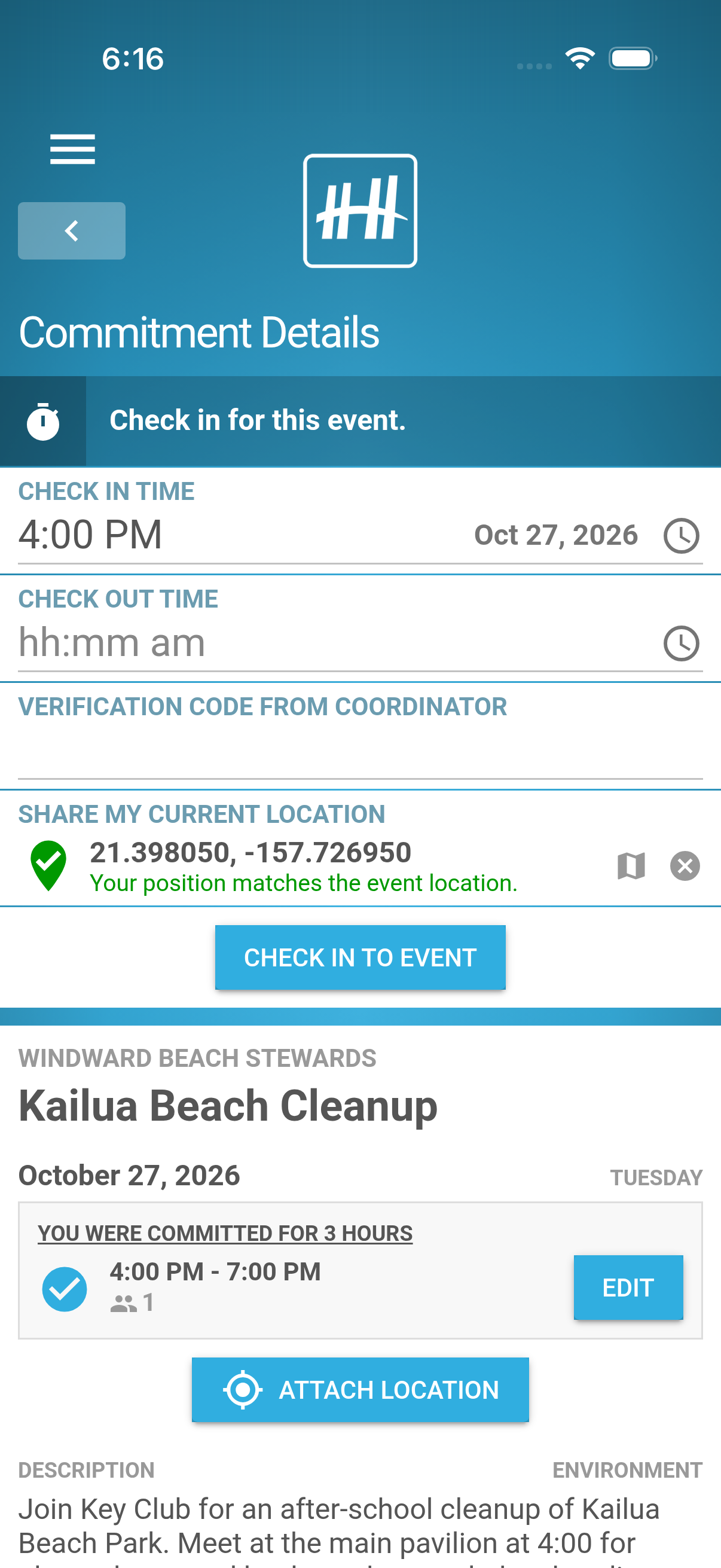
One Tap in the Check-In Form
When location matching is on, the check-in, check-out, and log-time forms include a Share My Current Location field. One tap captures the volunteer’s position and shows the result before they submit.
Saved With the Check-In
The location is sent with the check-in itself, so the record and its evidence always arrive together. Volunteers who forget can attach a location from their commitment screen, from an hour before the event starts until four hours after it ends.
Never a Roadblock
Sharing is optional, and a weak signal or a declined permission never stops a check-in.
Not There Yet? The Map Shows the Way
See the Matching Area
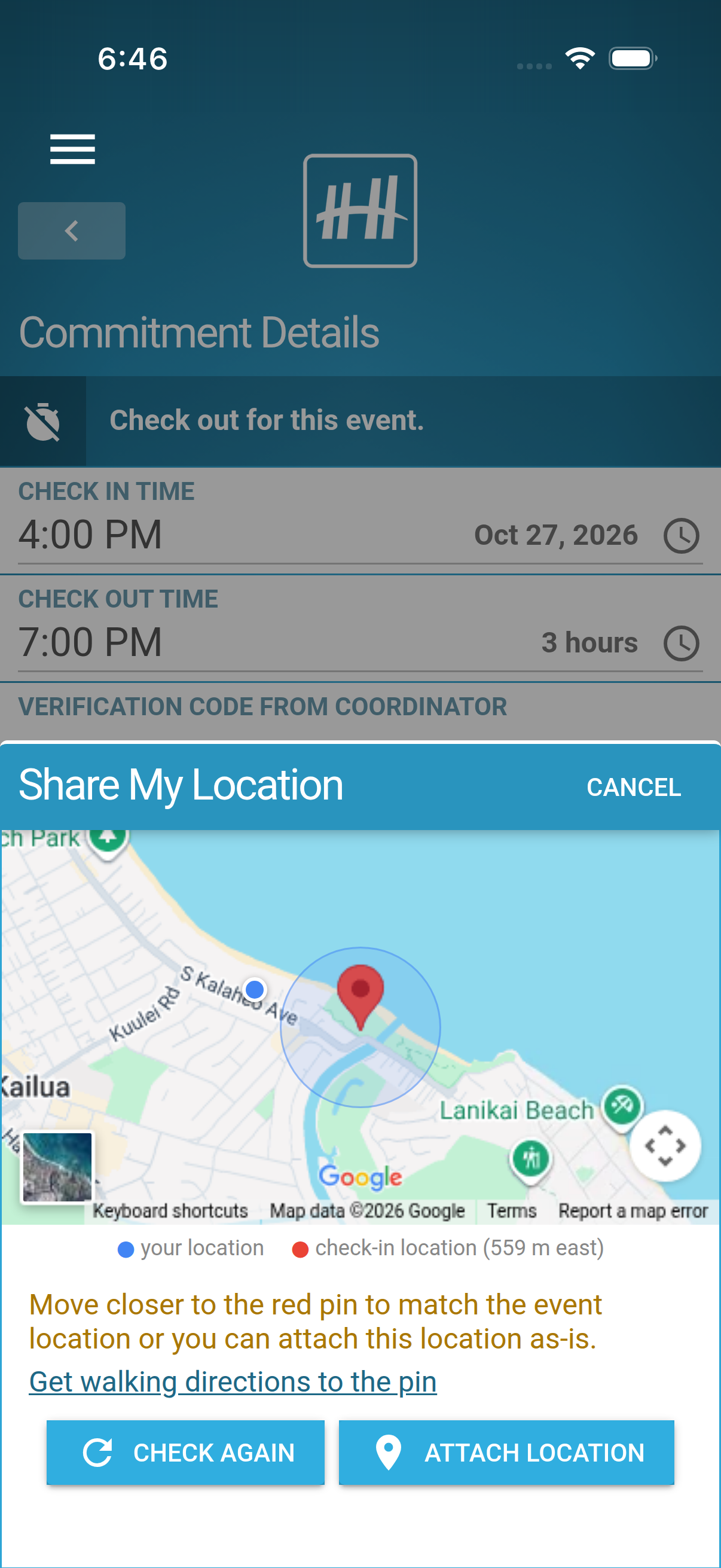
If a volunteer’s position falls outside the event’s matching area, Helper Helper opens a map with the event’s check-in pin, the shaded area around it, and a blue dot for the volunteer, along with how far away they are and in which direction.
Walk Over and Check Again
A link opens walking directions to the pin. Volunteers can move closer and tap Check Again, or attach the location as it is. Your admins see the distance either way.
What Your Admins See
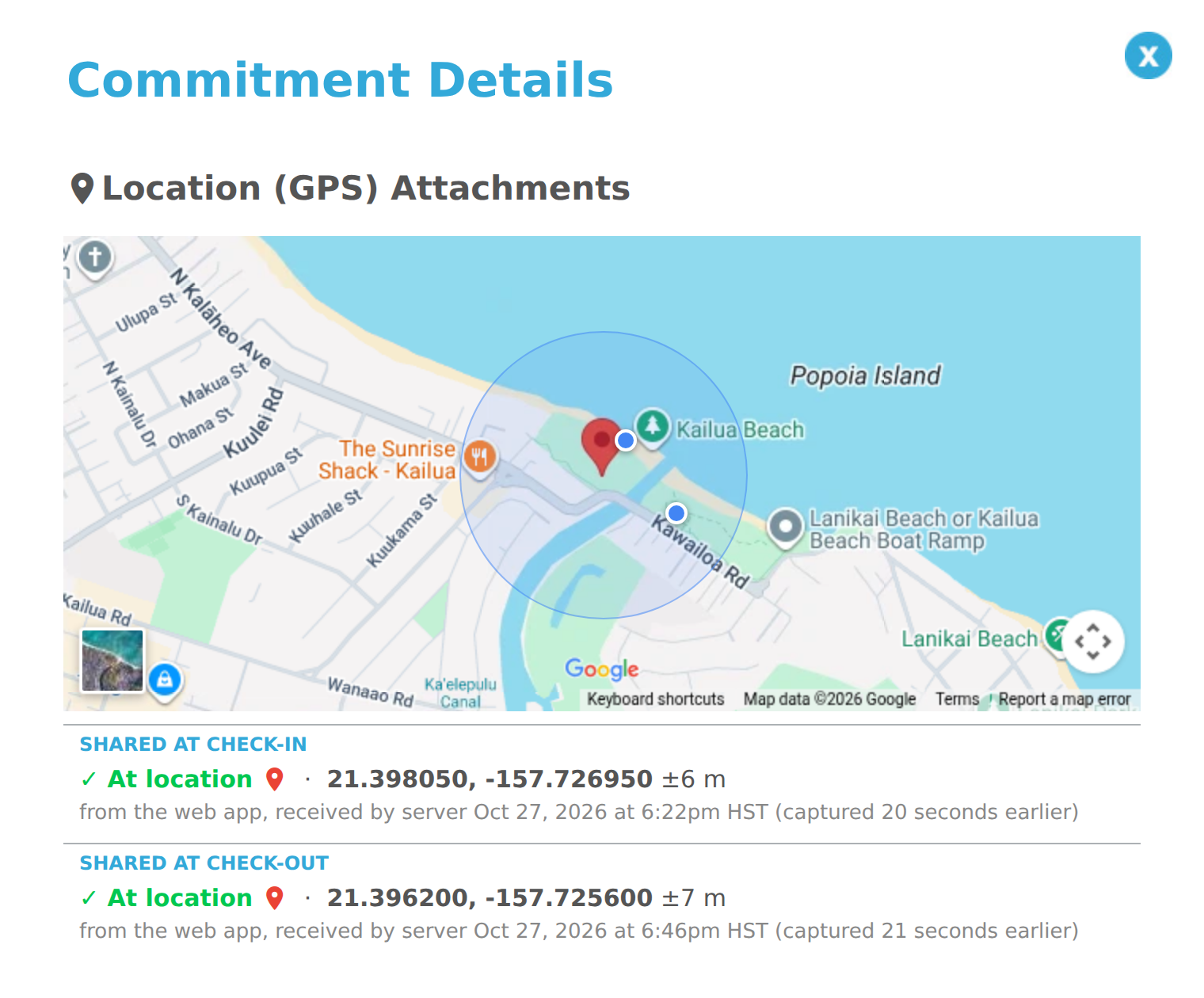
A Pin on Every Commitment
Commitment lists show a location pin colored by the best result, so matched check-ins stand out at a glance. Open it to see the event’s pin and matching area with every location the volunteer shared.
A Clear Result for Each Location
Each one is marked At location, Nearby, or Far with the distance, along with when it was shared, its accuracy, and when it was captured.
Set Up Each Venue Once
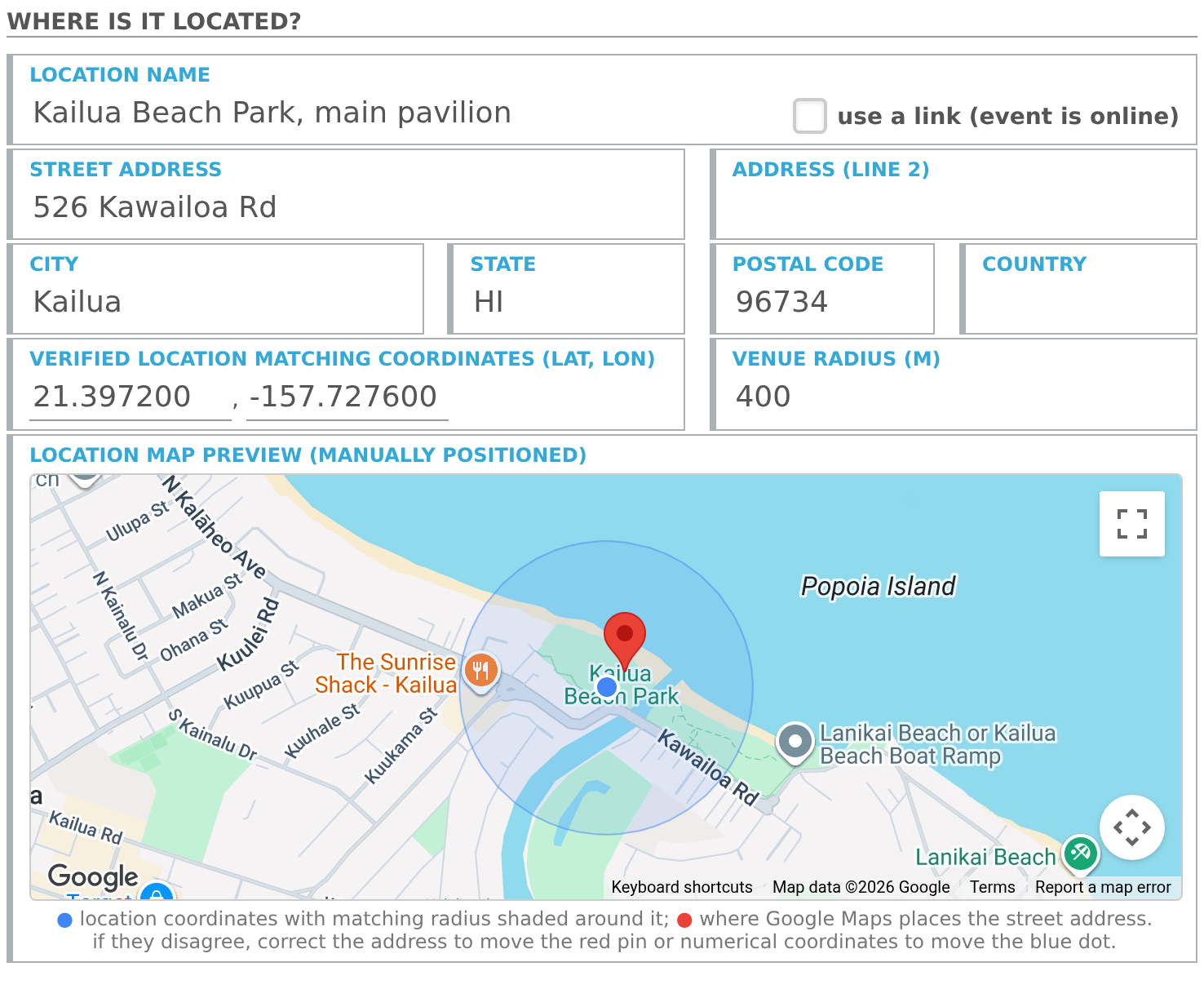
Coordinates From the Address
Helper Helper looks up each event’s coordinates from its street address and shows them on a map with the matching area shaded around them. If they land in the parking lot instead of on the field, type in the right coordinates and they stay put.
A Matching Area That Fits
Locations match within 200 meters of the venue unless you set a different distance. Give a park, beach, or race course a larger area of its own, or turn matching off for roving work. Online events never ask for a location.
Built to Hold Up
Only Around Event Time
A location can be attached from an hour before the event starts until four hours after it ends, so no one can add one from home a week later.
Locked In When Shared
The distance and result are saved with the venue in effect at that moment. Moving a venue pin later never changes past results.
Accuracy Counts
Helper Helper allows for each phone’s margin of error. A rough position that could be off by more than 500 meters never counts as a match.
Your Admins Decide
A match is evidence, not an automatic approval. Admins weigh it alongside QR codes, validation codes, and signatures.
Private by Design
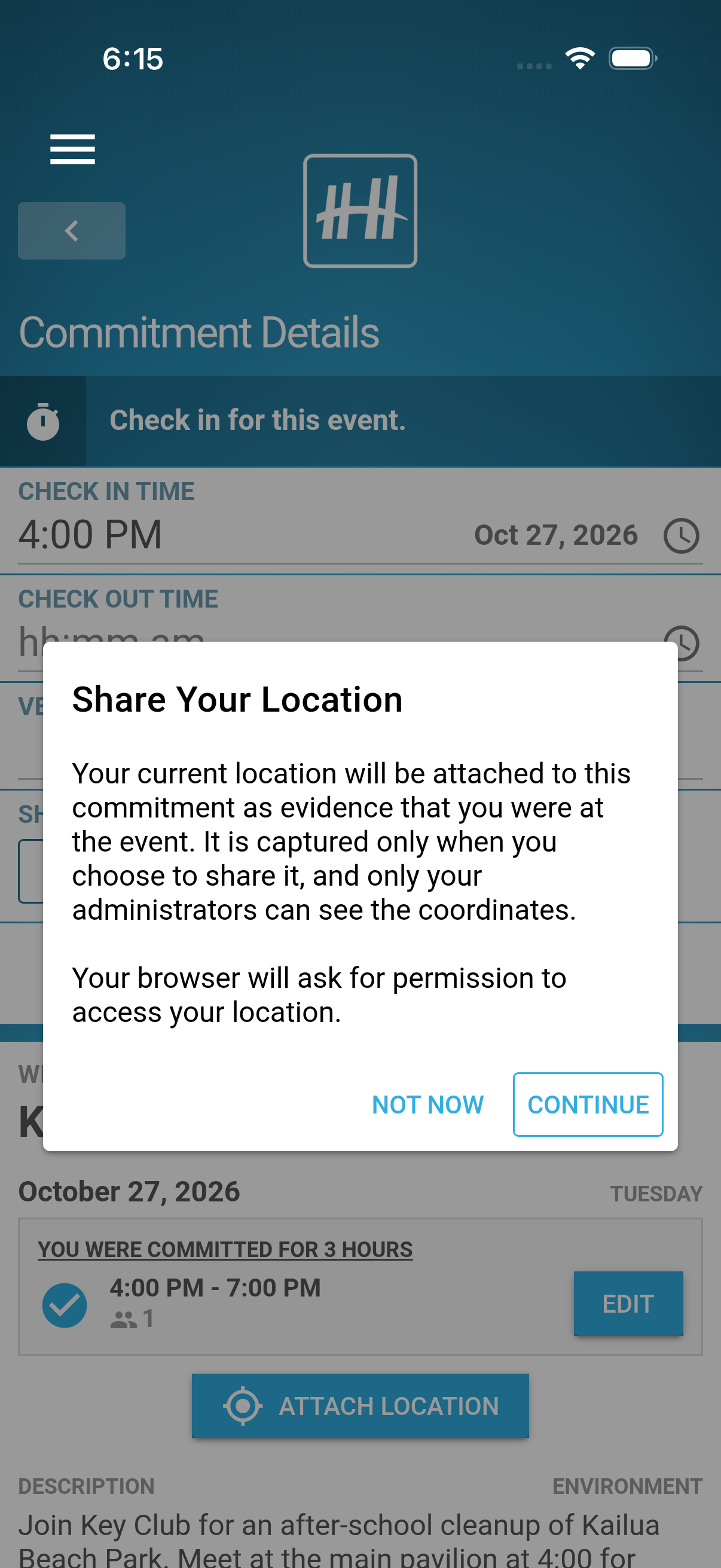
Volunteers Choose When to Share
A location is captured only at the moment a volunteer taps to share it, never in the background, and only after they allow location access on their phone or browser.
Only Your Admins See Coordinates
Volunteers see their own map and whether they matched. Coordinates are available only to your administrators, and our privacy policy spells out exactly what is stored.
iPhone, Android, and the Web
Location sharing works in the Helper Helper app for iPhone and Android and in the web app, so volunteers who bring a tablet or laptop can share too.
Frequently Asked Questions
Do volunteers have to share their location?
No. Sharing is always optional, and a check-in never fails because a location is missing.
Does Helper Helper track where volunteers are?
No. A location is captured only when a volunteer taps to share it, and never in the background. Each shared location is stored with that one commitment.
Our event covers a whole park. Will volunteers match?
Give that event a larger matching area. Any event or organization can have its own distance, so a park, beach, or race course can match across the whole site.
What about service that moves around, like deliveries?
Turn matching off for that event or organization with one click. Volunteers are not asked for a location there.
How do we turn it on?
Location matching is an account-wide setting. Contact our support team at info@helperhelper.com to turn it on, or call (734) 531-8806.