
Here’s a common scenario: your volunteers want to help out, so you reach out to a local nonprofit to see if they need support. The nonprofit says yes, and sends over a SignUpGenius link to sign up for their opportunity. That nonprofit isn’t a Helper Helper client, they’re just using whatever sign-up tool works for them.
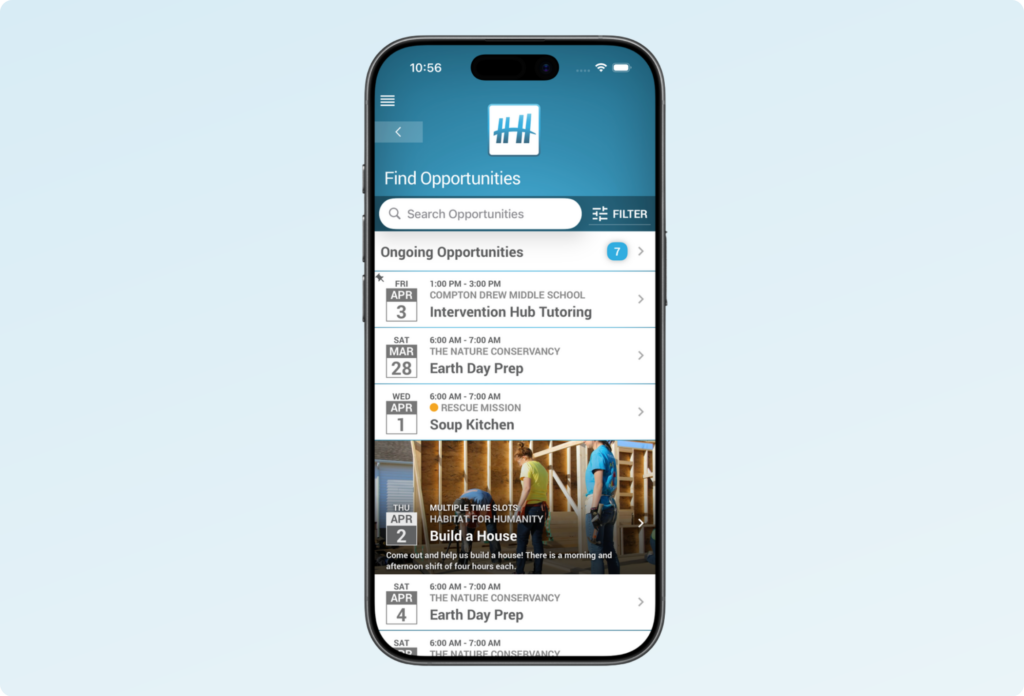
You still want this opportunity to live in Helper Helper, so your volunteers have one central place to find every volunteer opportunity available to them, instead of juggling links from every partner organization you work with. Here’s how to set that up.
Why Post it in Helper Helper at all?
Since there isn’t an open API connecting Helper Helper and SignUpGenius, the two platforms can’t automatically share sign-up data. The nonprofit will keep using SignUpGenius as their source of truth for headcount and shift coverage, especially since they likely have volunteers from other sources who don’t have Helper Helper accounts at all.
By posting the opportunity in Helper Helper too, you make sure your own volunteers have one consistent place to browse opportunities, and you keep an accurate, verified record of their hours on your end. The setup below lets both systems work together without extra manual reconciliation.
“I want all the data captured in Helper Helper but some of the nonprofits our students want to volunteer with are using SignUpGenius how do I ensure the students sign up in both places?”
Step 1: Get the Sign-Up Link from Your Partner Nonprofit
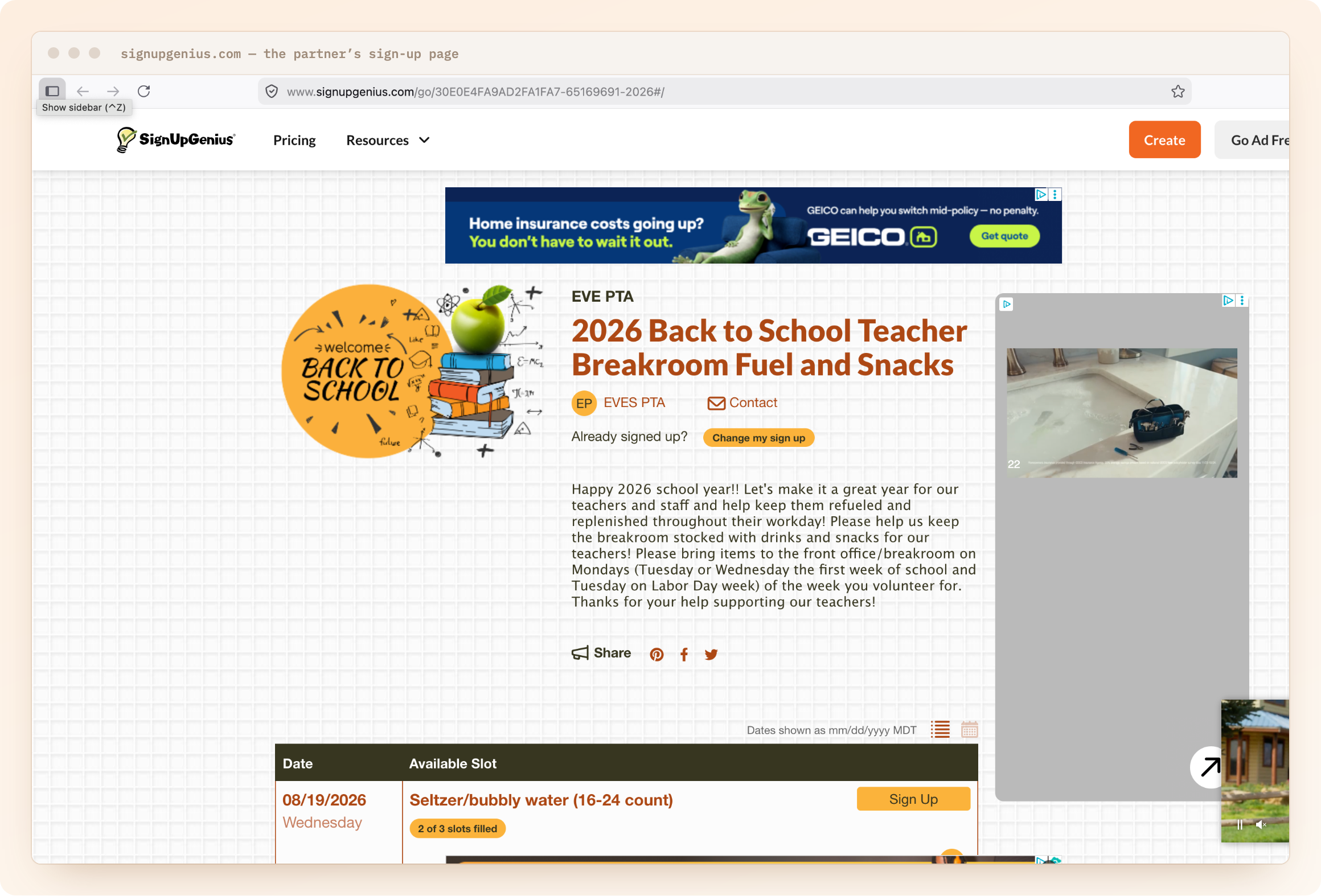
When a nonprofit shares a volunteer opportunity with you, they’ll typically send over their own SignUpGenius (or similar) link, already set up with their shifts, time slots, and volunteer limits.
Copy that link, you’ll need it for the next step.
Step 2: Create the Event in Helper Helper
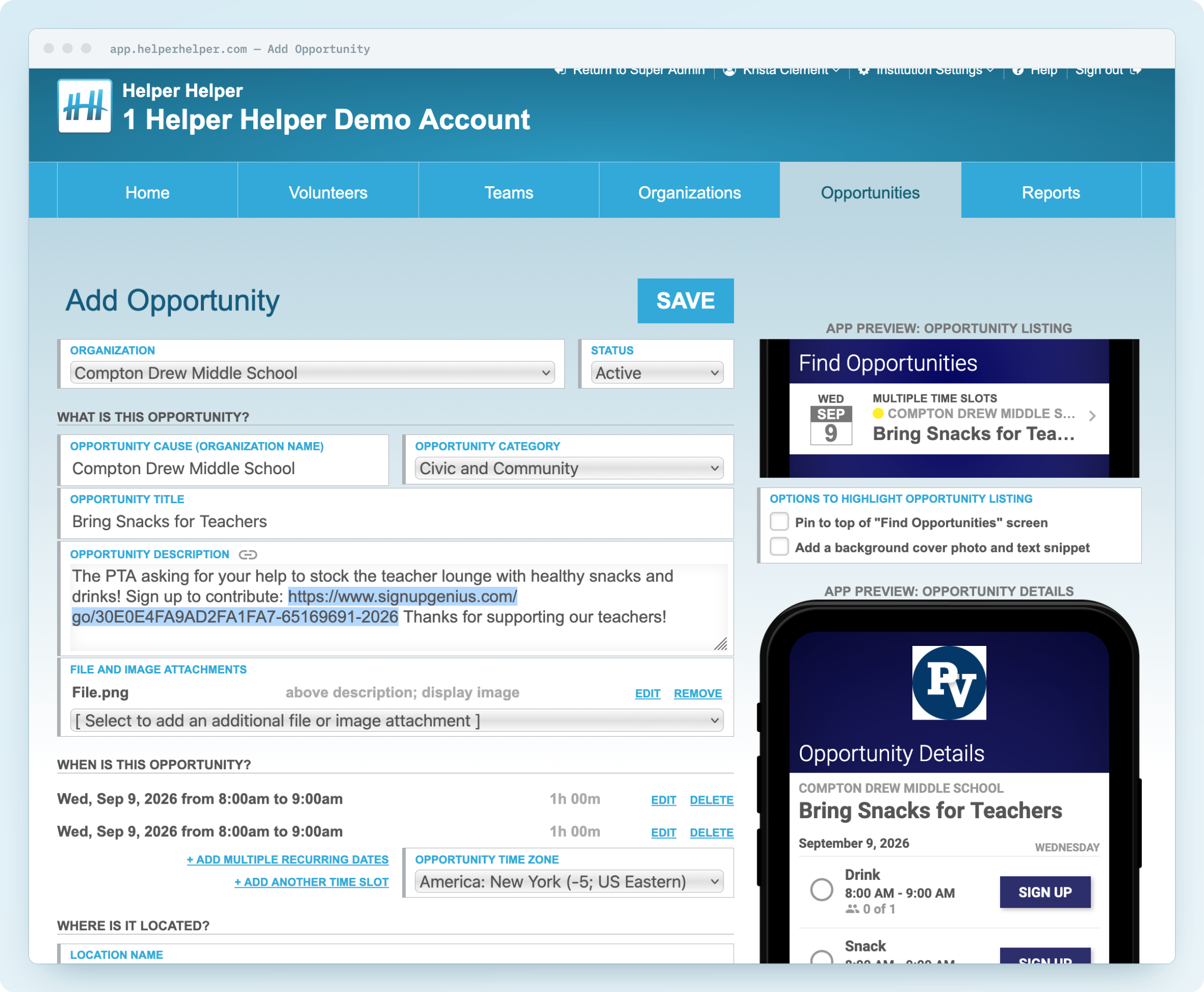
Create the event in Helper Helper as usual, using the details the nonprofit shared with you. In the event description, paste the nonprofit’s SignUpGenius link and include a short note letting your volunteers know they need to sign up in both places.
Example description text:
This event requires sign-up through SignUpGenius. Please sign up here: [nonprofit’s SignUpGenius link]. You’ll also need to complete a short survey in Helper Helper confirming your SignUpGenius sign-up.
Step 3: Create a Reusable Confirmation Survey
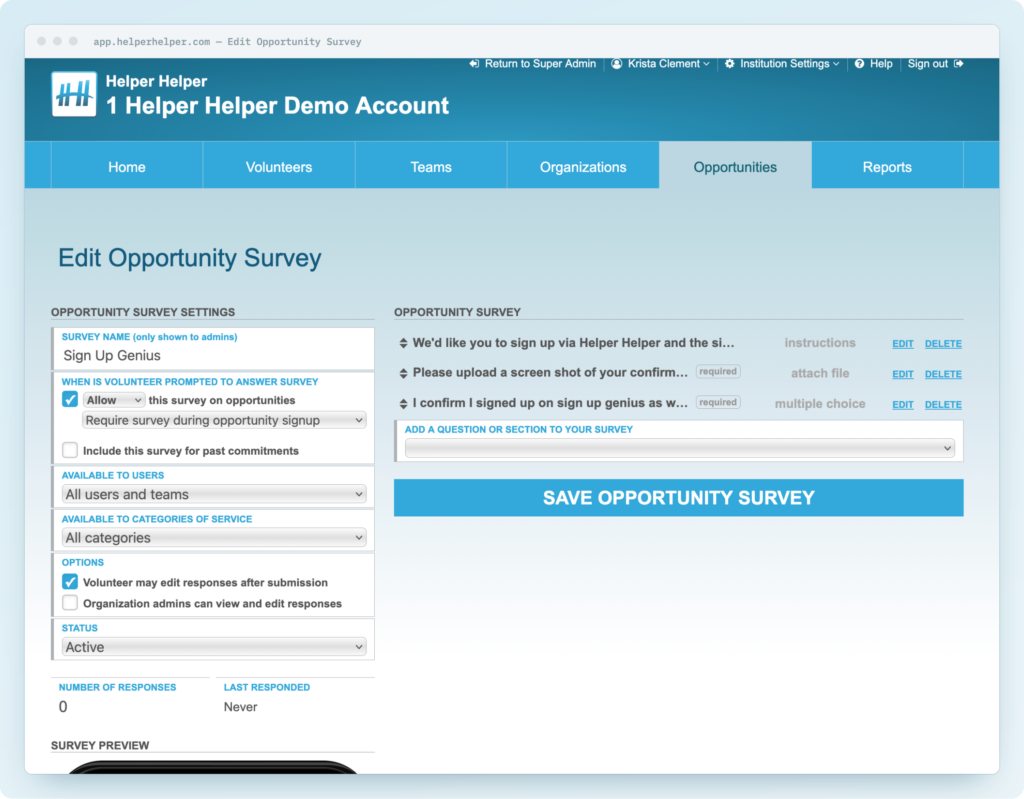
This is the piece that ties everything together, and you only need to build it once. Create a survey in Helper Helper that volunteers will complete when they sign up for the event.
Your survey should include:
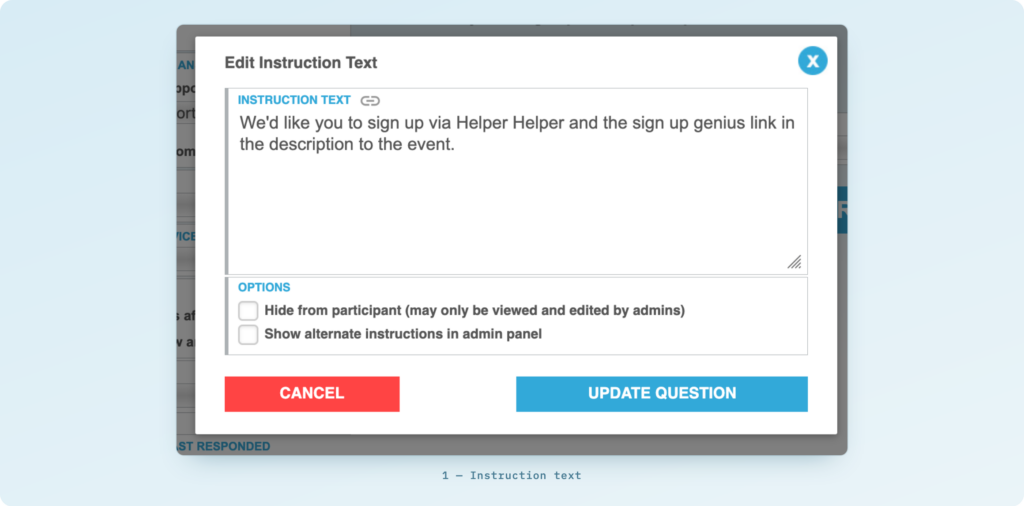
1. Instructions Let volunteers know they need to complete both sign-ups. For example:
We need you to sign up through both SignUpGenius and Helper Helper. The SignUpGenius link is in the event description.
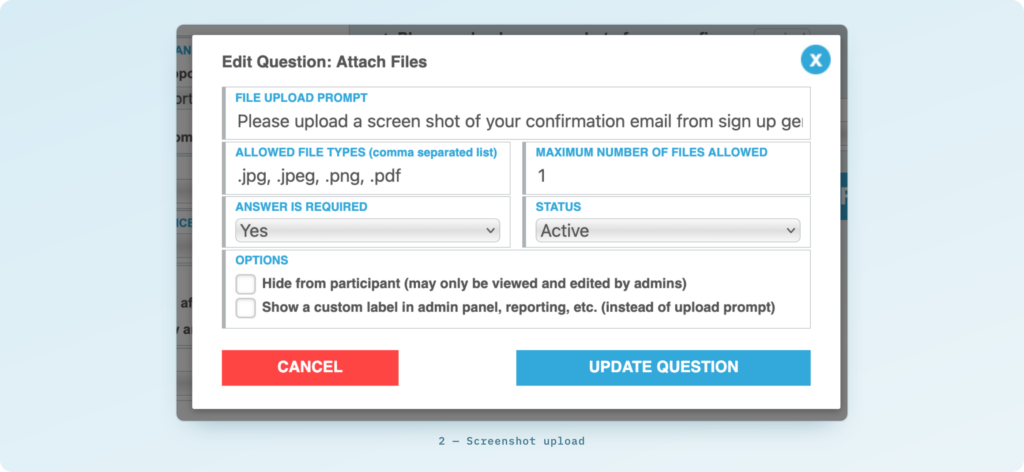
2. Screenshot upload question Ask volunteers to attach a screenshot of their SignUpGenius confirmation email as proof of sign-up.
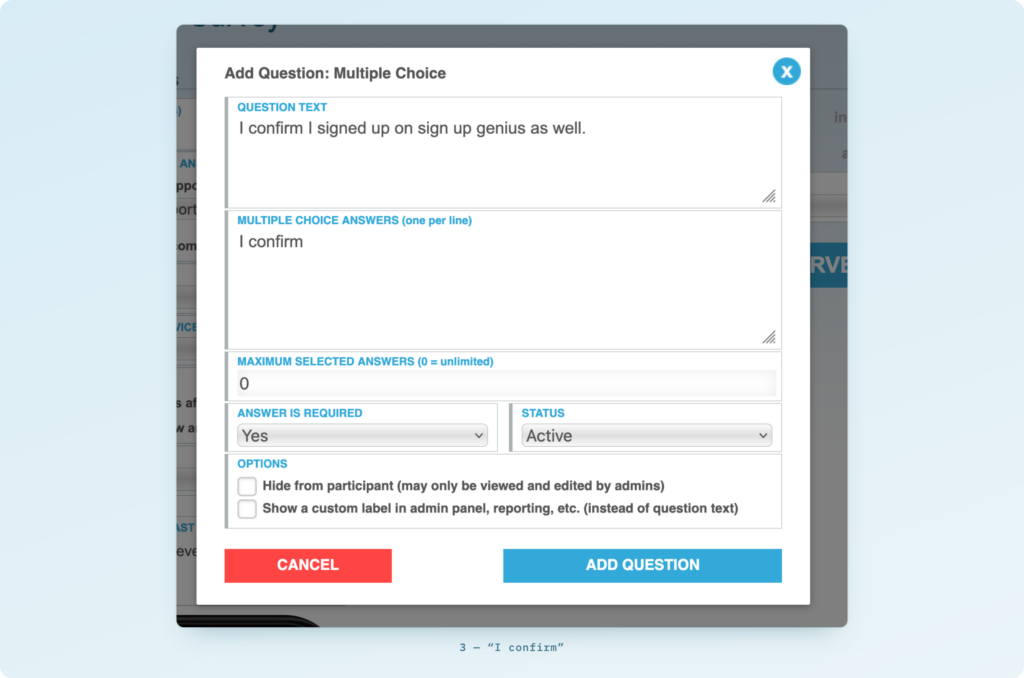
3. Confirmation question A final question with a single answer option: “I confirm.” This gives you a clean, simple confirmation on record for every volunteer.
Once you’ve added the questions you need this preview and the settings on the right will ensure that you’re volunteers are prompted with these questions when the survey is added to an event.
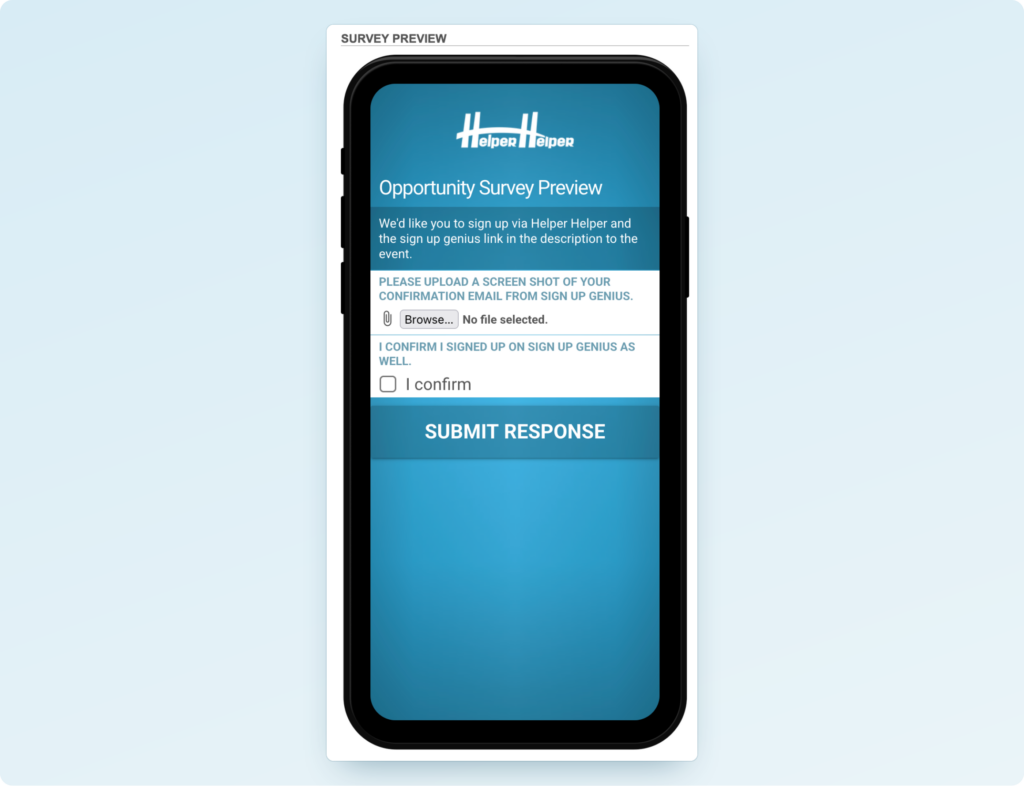
Step 4: Reuse This Survey for Future Events
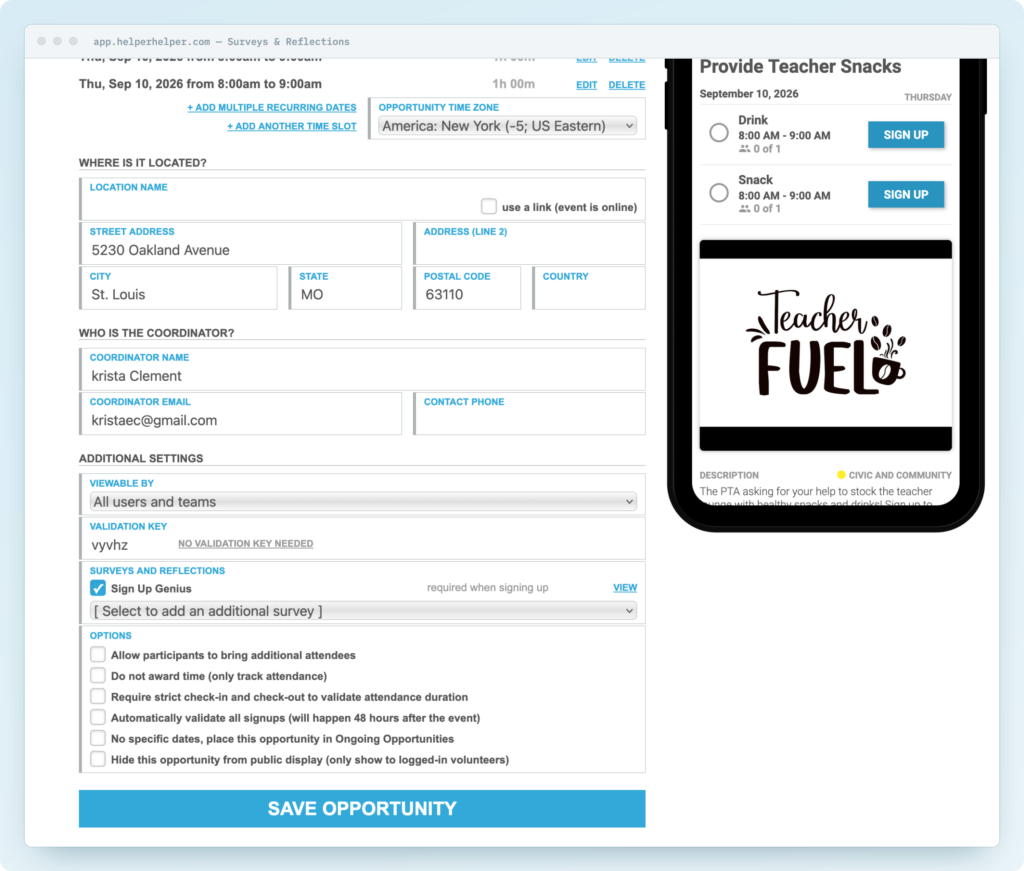
Once you’ve built this survey, you don’t need to recreate it. Simply attach the same survey to any future event that requires a SignUpGenius (or similar) confirmation. This keeps setup fast and consistent across all your shift-based events.
What Your Volunteers Will Experience
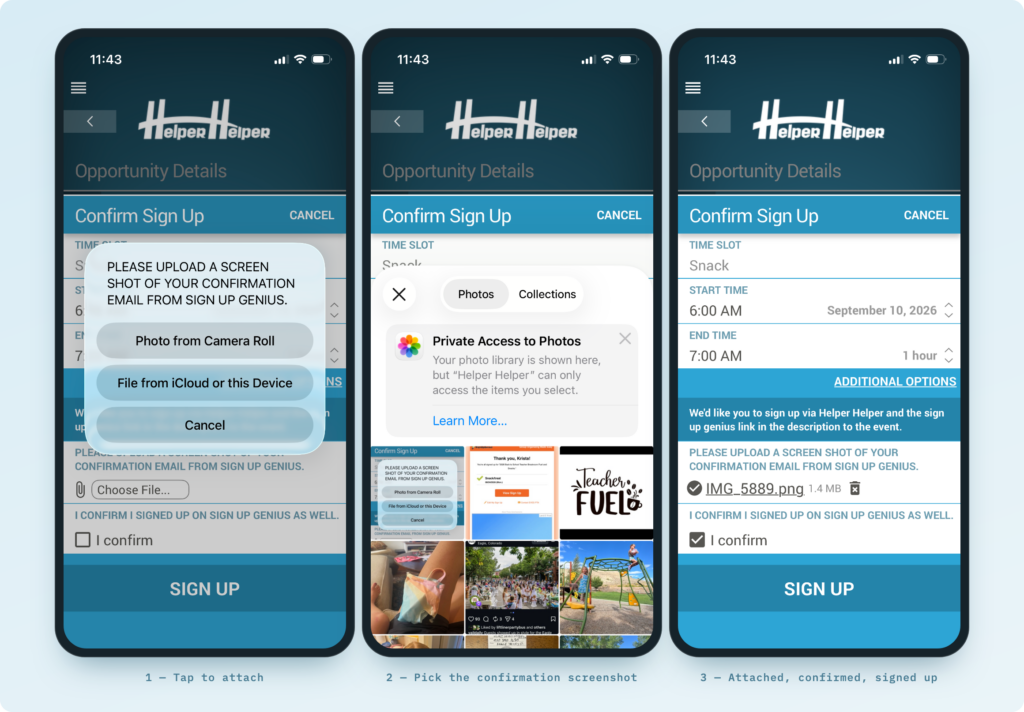
To recap, from a volunteer’s perspective:
- They see the partner nonprofit’s opportunity listed as an event in Helper Helper, alongside all your other volunteer opportunities, and find the SignUpGenius link in the description.
- They sign up for a shift on the nonprofit’s SignUpGenius.
- They sign up for the event in Helper Helper and complete the confirmation survey, including a screenshot of their SignUpGenius confirmation.
- Their hours are tracked and verified in Helper Helper as usual.
Questions?
If you’d like help setting up your first SignUpGenius confirmation survey, reach out to your Client Success Manager and we’re happy to walk through it together.
This gives your volunteers one consistent place to find every opportunity you offer, while the partner nonprofit keeps SignUpGenius (or whatever tool they use) as their own source of truth for shift coverage, especially useful since they’re often coordinating volunteers from multiple sources, not just the ones with Helper Helper accounts.